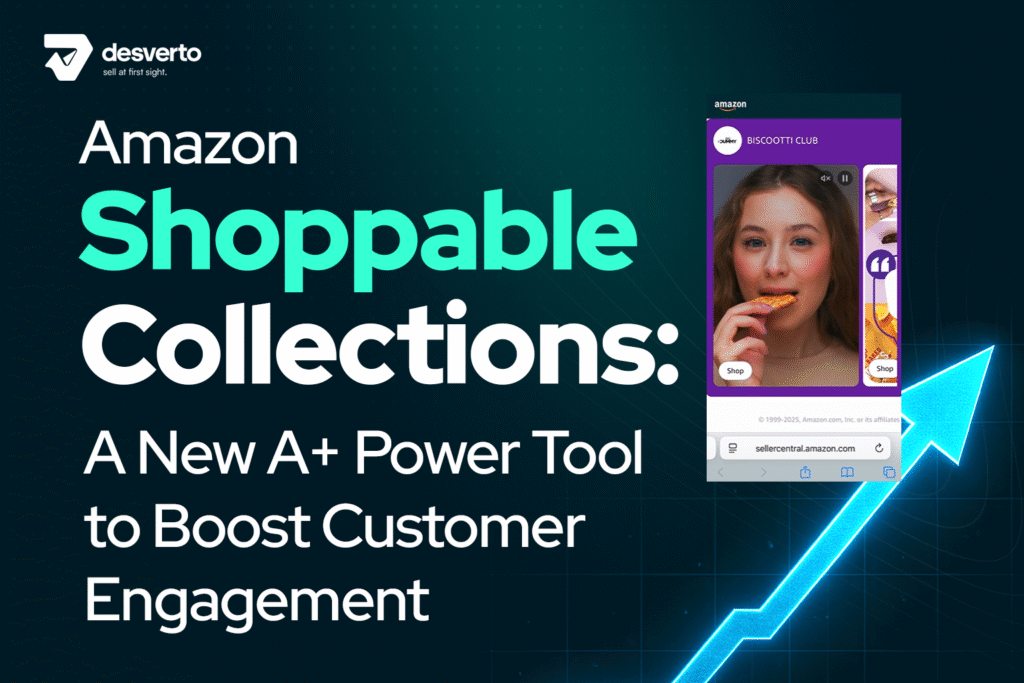





Amazon has quietly introduced one of the most powerful A+ upgrades we’ve seen in years, and it’s about to reshape how brands approach product detail pages.
The feature is called Shoppable Collections, and it’s currently in beta across select seller accounts. Many sellers first discovered the rollout through announcements in Seller Central or updates shared by Amazon seller support.
This new module doesn’t just let you display more products. It allows you to build a dynamic, interactive carousel directly within your A+ Content, giving customers the ability to browse and buy without ever leaving the page.
At its core, Shoppable Collections turn your A+ content into a merchandising engine designed to increase Average Order Value (AOV) and cross-sell engagement in ways traditional modules never could.
What’s Actually New in Shoppable Collections (Key Technical Details)
Before diving into strategy, here are the core mechanics of Amazon’s new module:
→ You get 10 total modules inside the Shoppable Collection
→ Only 3 of these can be videos
→ Videos autoplay but do not loop
→ Each video must be paired with an anchor image
→ Background images are no longer required
→ Amazon now lets you choose a HEX code background color for a clean, branded look
These small details matter because they change how you plan your creative, decide your visual hierarchy, and design your anchor assets.
Why Shoppable Collections Matter
For years, A+ content has been limited to storytelling: brand imagery, product features, and lifestyle visuals. While that approach builds trust, it stops short of active selling.
Shoppable Collections change that.
Each module is now a point of sale. Instead of simply showcasing your brand, you can now:
● Cross-sell related ASINs directly from the product page.
● Create logical product bundles such as “Build Your Routine,” “Complete the Set,” or “Upgrade Your Experience.”
● Drive customers from one SKU to another, or even into your Brand Store, all within the A+ layout.
In short, you’re no longer just building brand awareness. You’re building revenue pathways.
The Operator’s Playbook: How to Use Amazon Shoppable Collections Strategically
Amazon has given brands a new canvas, but success won’t come from simply adding more photos.
Here’s how to approach this tool like a true merchandiser, not just a designer.
1. Manually Curate Your Bestsellers
You now have full editorial control over what appears in your Shoppable Collection. Use it strategically:
● Feature high-margin ASINs that drive profit.
● Highlight new launches that need visibility.
● Promote seasonal or overstock products to move inventory faster.
Every slot in your carousel should serve a purpose. You are the merchandiser now, so make your curation deliberate.
2. Use Video for Proof
Each collection comes with a video slot that auto-plays and loops.
That’s an incredible piece of real estate, but it’s also where most brands fail.
Avoid dropping in a generic brand ad. Instead, create a 10-second, silent, looping video that focuses on one undeniable proof point:
● Show the product being used.
● Demonstrate a key feature.
● Highlight quality through motion or texture.
3. Build a Bigger Cart
Every Shoppable Collection should help customers solve their next problem.
For example:
● If you’re selling protein powder, link to the shaker, the supplement stack, and storage jars.
● If you’re selling skincare, show complementary products from the same routine.
The goal is not just to showcase, it’s to extend the journey.
When done right, your product detail page becomes a mini storefront, guiding customers logically toward a larger cart.
The 4-Point Operational Checklist (Before You Publish Anything)
Rushing to publish this new module is the fastest way to waste its potential.
Winning brands prepare.
Here’s your pre-launch protocol before building your first collection:
1. Audit Your Cross-Sell Data
It tells you what customers are actually buying together, not what you think they buy together.
Start with your Market Basket Analysis report in Seller Central.
Use that data to build data-backed bundles. A curated “Complete Your Routine” module built on real customer behavior will always outperform intuition.
2. Define the Module’s Mission
Every Shoppable Collection should have a single commercial goal:
● Increase AOV.
● Upsell to a premium version.
● Introduce a new product.
Trying to do everything at once confuses the shopper. Pick one mission and make every product and image support that goal.
3. Script Your 10-Second Video
Your video isn’t filler. It’s the conversion accelerator.
Craft it intentionally:
● Focus on one customer objection, such as “Is it durable?”, “Is it real wood?”, or “Is it waterproof?”.
● Answer that visually, in under 10 seconds.
● Assume it will be watched silently, so every frame must communicate meaning.
4. Prep Cohesive Visual Assets
Gather your product photos early. Every image in a single collection should:
● Share the same lighting and color tone.
● Have consistent backgrounds.
● Follow your brand’s visual identity.
Shoppable Collections even allow HEX-coded backgrounds, so you can create a seamless, professional aesthetic that builds instant trust.
The Most Common Mistakes (and How to Avoid Them)
A quick scan of early adopters shows that many brands are missing the mark.
Here are the three biggest errors we’re seeing and how to fix them:
❌ Error 1: The “Product Dump” Collection
Many brands are just loading random ASINs, bestsellers, or unrelated items without any strategy.
The Fix:
Give your collection a mission. Whether it’s “Starter Kit,” “Upgrade Path,” or “Seasonal Essentials,” every product should support that message.
And remember, you need at least five products, or Amazon hides the section entirely.
❌ Error 2: Inconsistent Visual Quality
Different lighting, uneven crops, and clashing backgrounds all break the premium feel.
The Fix:
Unify your visuals. Use the HEX background option for a clean, cohesive look. Your A+ is not just content, it’s a reflection of your brand’s attention to detail.
❌ Error 3: Generic or Recycled Videos
Brands are dropping old commercials or B-rolls into the module. It looks lazy and performs poorly.
The Fix:
Script and design your 8–10 second video for this exact module. Keep it contextually relevant to the ASIN shown, and design it assuming sound is off. Those first 5 seconds must visually communicate value.
Strategic Implications: The New Conversion Engine
When optimized correctly, each Shoppable Collection does far more than display products. It reshapes the buying experience.
Customers can now:
● Add complementary products to their cart without scrolling through search results.
● Navigate directly to your Brand Store through integrated links.
● Engage with your entire catalog, not just one listing.
In effect, your A+ Content becomes a mini-storefront nested inside your PDP.
But remember the trade-off.
Activating Shoppable Collections replaces your Brand Story module entirely.
That means you need to decide whether the goal for that ASIN is brand storytelling or direct conversion. For products with high repeat purchase potential or upsell opportunities, Shoppable Collections are a clear win.
Final Thoughts: Preparation Wins, Not Speed
Amazon gives everyone the same tools, but only the brands that understand how to use them strategically will see results.
The Shoppable Collections module isn’t just another content slot. It’s a new retail shelf on your most valuable piece of digital real estate.
Treat it like one.
Audit your data, define your mission, craft your visuals, and prepare your proof. Because on Amazon, being first to launch rarely wins. Being most prepared does.
If you don’t see the feature in your dashboard yet, don’t panic. It’s still rolling out across Seller Central accounts. The best move is to contact Seller Support and request access. The rollout is accelerating quickly.
Once you’re in, use this playbook to do it right.
Because this time, Amazon didn’t just give you another A+ module.
They handed you a conversion machine.