

Two sellers can run the same keyword and get very different listings out of it, and the difference is usually the tool doing the digging. The right Amazon optimization tool does not just hand you a keyword list. It shows you what competitors rank for, where your listing is losing indexation, and which terms actually convert, so you fix the page instead of guessing at it.
The problem is that most of these tools overlap on the surface and diverge on the details. Nearly all of them promise keyword research and listing help. What separates them is depth, how much of the job one tool covers, and whether it fits a first-month seller or a catalog manager running hundreds of SKUs. We broke down 10 Amazon optimization tools on exactly those points, with a clear read on who each one is built for and what it costs.
How to Choose an Amazon Optimization Tool
Most of these tools can research keywords and audit a listing. What separates them is depth, fit, and how much of the job a single tool actually covers. Before you pay for any Amazon optimization software, run every option you are considering through the same five checks.
1. Keyword and Indexation Depth
The core job is finding the terms shoppers use and confirming Amazon indexes your listing for them. Look for reverse-ASIN lookups that pull a competitor’s ranking keywords, search-volume data you can trust, and an index checker that tells you which terms your listing actually ranks for, not just which ones you targeted.
2. Listing Optimization Features
A research tool and an optimization tool are not the same thing. The stronger platforms include a listing builder that scores keyword coverage as you write, flags missing terms, and checks the title and bullets against character limits. Confirm the tool helps you build the listing, not just pull a keyword list you take elsewhere.
3. Competitor and Market Intelligence
Optimization is relative. You are not writing the best listing in the abstract, you are writing a better one than the product ranking above you. Tools that surface competitor keywords, share of voice, and category traffic let you optimize against the real target instead of a guess.
4. Scale and Catalog Fit
A single-product seller and a 300-SKU catalog manager need different things. A one-listing seller wants a clean workflow and a free plan to start. A large catalog needs bulk tracking, share-of-voice reporting, and data export, which is where the heavier analytics platforms earn their price.
5. Free Plan or Free Trial
A free plan or trial lets you test the tool on your own listings before committing. Several tools here offer one, and running your actual catalog through a trial tells you more than any feature list or review.
One more question worth asking before you pay. How many marketplaces does the tool cover. If you sell in the UK, Germany, or Japan as well as the US, confirm the keyword data and tracking extend to those marketplaces, because several tools are far stronger in the US than anywhere else.
| WARNING
A tool that promises to “guarantee” a rank or a sales lift is selling something software cannot deliver. No tool controls Amazon’s search results. The honest ones give you better data and a cleaner workflow, then leave the ranking to your listing, your price, and your reviews. |
Here is the List of the Top 10 Best Amazon Optimization Tools in 2026
- Helium 10
- Jungle Scout
- Data Dive
- SellerApp
- ZonGuru
- SmartScout
- SellerSprite
- MerchantWords
- AMZScout
- DataHawk
1. Helium 10

Core Features
- Cerebro reverse-ASIN lookup and Magnet keyword research
- AI Listing Builder and Scribbles for keyword-complete copy
- Index Checker and keyword rank tracking
- Free plan available; Platinum, its most popular plan, around $104/mo, and Diamond around $270/mo
Helium 10 is the most complete toolkit on this list, which is why it tends to be the default recommendation for sellers who want one platform instead of five. Its keyword tools are the strongest part. Cerebro pulls the exact keywords a competitor’s ASIN ranks for, and Magnet expands a seed term into thousands of related searches with volume data attached.
On the optimization side, the Listing Builder scores your title and bullets for keyword coverage as you write, so you can see which high-value terms are still missing before you publish. Index Checker then confirms Amazon is actually indexing the listing for those terms, which closes the loop most tools leave open.
The tradeoff is breadth. Helium 10 does many things, and a new seller can feel buried by features they will not touch for months. The free plan softens that, letting you start narrow and grow into the suite.
Best for: sellers who want one platform covering keyword research, listing building, and rank tracking together.
2. Jungle Scout

Core Features
- Keyword Scout and Opportunity Finder for research
- Listing Builder with keyword scoring
- Sales estimates and product database
- Plans from about $29/mo on annual billing, with a 7-day money-back window rather than a free plan
Jungle Scout built its name on product research, and that heritage shows in how clean the workflow is. Keyword Scout returns search volume and a relevance read for a term, and Opportunity Finder surfaces niches where demand outpaces competition, which is as useful for positioning an existing listing as for picking a new product.
For optimization specifically, the Listing Builder scores your draft against your target keywords and flags gaps, and it ties back to the same research data so you are not switching tools mid-task. The interface is widely considered the most beginner-friendly of the major suites, and the entry price is the lowest of them.
The tradeoff is that Jungle Scout leans toward research and validation more than deep listing engineering, so power users doing semantic keyword work often pair it with a more specialized tool or move to one.
Best for: private-label sellers who want product and keyword research in one clean, approachable workflow.
3. Data Dive

Core Features
- Semantic keyword grouping and competitor analysis
- AI-assisted listing creation and optimization
- Niche analysis and rank tracking
- Plans from about $39/mo, with a free trial
Data Dive is the tool experienced sellers reach for when keyword research stops being about volume and starts being about structure. Its strength is semantic grouping, clustering hundreds of keywords by meaning so you can see which themes a listing has to cover rather than chasing one term at a time.
That grouping feeds directly into listing work. You can see which keyword clusters your competitors cover and which they miss, then build a title and bullets that close the gap deliberately instead of by instinct. For a crowded category, that structured view is where listings get won.
The tradeoff is the learning curve. Data Dive assumes you already understand Amazon keyword research, and a newer seller will likely find it heavier than they need. It rewards the time you put into learning it.
Best for: experienced sellers who want structured, semantic keyword research for competitive categories.
4. SellerApp

Core Features
- Listing quality analysis and keyword research
- PPC automation and profit analytics in the same platform
- A free plan that never expires; paid Pro plans from about $99/mo
- Covers a wide set of Amazon marketplaces
SellerApp is one of the few tools that treats listing optimization and advertising as one workflow rather than two products. Its listing analysis scores a page for keyword coverage and quality and flags the fields holding it back, while the same account handles keyword research and PPC automation, so your organic and paid keyword work stay aligned.
The free plan is a genuine advantage. It never expires, and it includes a listing audit, so you can see where a page is leaking relevance before you pay for anything. For a seller who wants to connect listing quality to ad performance, having both in one dashboard is the draw.
The tradeoff is depth in any single area. SellerApp is broad and practical rather than the deepest keyword tool or the deepest PPC tool, so a specialist may eventually want a focused platform for one side of the work.
Best for: sellers who want listing optimization and PPC connected in one platform, with a free plan to start.
5. ZonGuru
Core Features
- Listing optimization and keyword research
- AI listing engineering built around keyword coverage
- Review automation and business dashboards
- A free listing readiness check, with paid plans on its own site
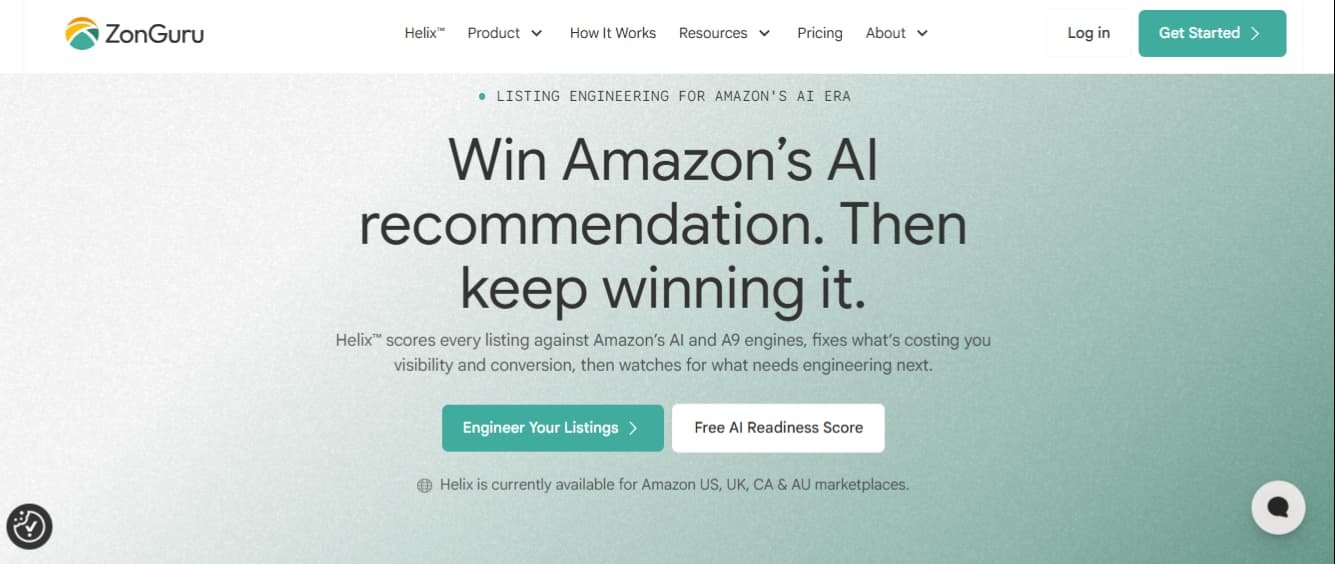
ZonGuru has leaned hard into listing optimization, and its newer AI listing tooling is built specifically around engineering a page for keyword coverage rather than general research. It pairs that with keyword tools, review automation, and dashboards that track the health of a listing over time.
The free listing readiness check is a useful on-ramp. It scores a live listing and shows where it falls short before you commit to a plan, which fits sellers who want a focused optimization tool rather than a sprawling suite.
The tradeoff is scope. ZonGuru is narrower than an all-in-one like Helium 10, so a seller who also needs deep product research or heavy competitor intelligence may find they still want a second tool alongside it.
Best for: growing brands that want a focused listing optimization tool rather than a full research suite.
6. SmartScout

Core Features
- Brand, seller, and category intelligence
- Share of voice and traffic-source analysis
- Competitor and market-share research
- Plans from about $49/mo, with a free trial
SmartScout optimizes the part of the job the keyword tools skip, which is understanding the market you are optimizing against. It maps brands, sellers, categories, and market share, and shows where a listing’s traffic actually comes from, so you can see which competitors and which keywords are moving the category.
That intelligence is why agencies and larger sellers increasingly keep it in the stack. Before you rewrite a listing, SmartScout tells you who you are really competing with and where the category’s attention sits, which sharpens every keyword decision that follows.
The tradeoff is that SmartScout is a research and intelligence tool, not a listing builder. It tells you where to aim, but you still optimize the page in another tool, so it works best alongside one rather than on its own.
Best for: sellers who want competitors and market intelligence to aim their optimization.
7. SellerSprite

Core Features
- Reverse-ASIN lookup and keyword mining
- Listing builder and competitor research
- Strong international keyword coverage
- A free plan and a short free trial, with tiers on its own site
SellerSprite is a capable research-and-optimization tool that has earned a following partly on value and partly on its international keyword data. Its reverse-ASIN and keyword-mining tools pull competitor terms and search data, and its listing builder helps assemble a keyword-complete page from them.
The international coverage is the standout. For sellers working across several marketplaces rather than the US alone, SellerSprite’s keyword database tends to hold up better outside North America than some bigger-name tools, and a free plan lets you test that against your own markets first.
The tradeoff is polish. The interface and support can feel less refined than the premium suites, which is part of the value tradeoff, so expect a slightly rougher experience in exchange for the data and the price point.
Best for: value-focused sellers and anyone optimizing across international marketplaces.
8. MerchantWords
Core Features
- One of the largest Amazon keyword databases
- Search volume and seasonal trend data
- International keyword research across marketplaces
- Subscription plans on its own site
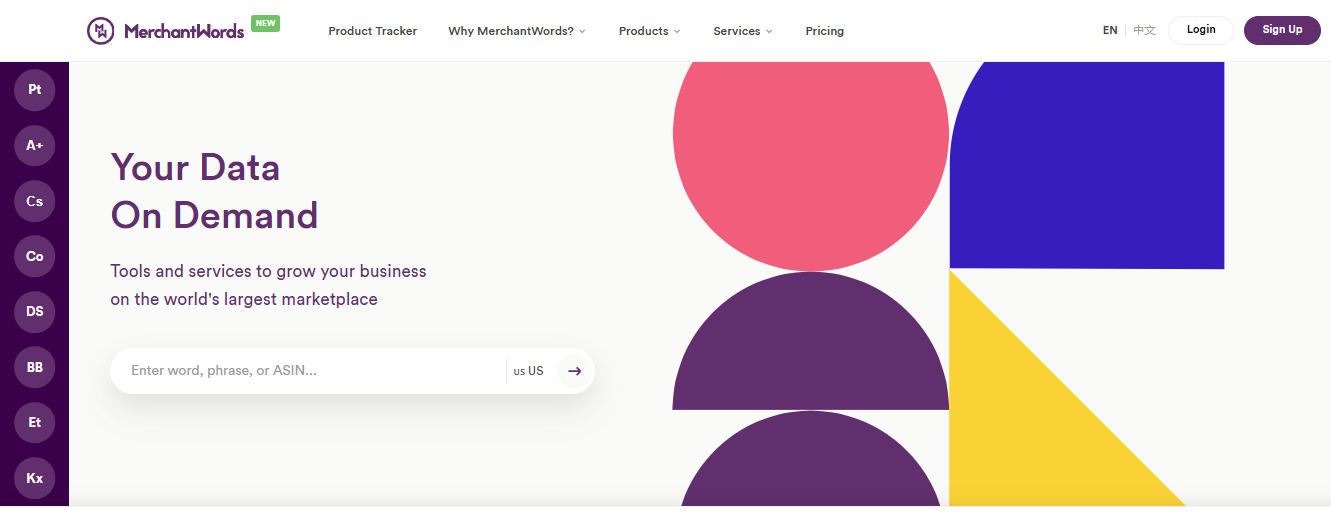
MerchantWords is a keyword specialist rather than a full suite, and depth of keyword data is the whole point. It runs one of the largest Amazon search-term databases, which makes it strong for discovering long-tail and seasonal terms that narrower tools miss, including across international marketplaces.
For optimization, that breadth matters when you are trying to capture demand the obvious keywords do not cover. Seasonal trend data in particular helps time a listing update to a demand spike rather than reacting after it passes.
The tradeoff is scope. MerchantWords does keywords and does them deeply, but it is not a listing builder or a competitor-intelligence platform, so it works best as the keyword engine inside a wider workflow rather than a standalone optimization tool.
Best for: sellers who want the deepest keyword database, including long-tail and international terms.
9. AMZScout

Core Features
- Product research and keyword tracking
- AI listing builder and a Chrome extension
- Beginner-friendly workflow
- From about $59.99/mo, or around $33.33/mo billed annually, with a free trial
AMZScout is the approachable entry point of the group, built for sellers early enough that a heavier suite would be overkill. It covers product research, keyword tracking, and an AI listing builder, and its Chrome extension puts data on the Amazon page you are already looking at, which flattens the learning curve.
For a new seller optimizing a first listing, that simplicity is the feature. You get the core keyword and listing tools without the sprawl of an enterprise platform, and the workflow is quick to learn.
The tradeoff is the ceiling. As a catalog grows and the questions get more advanced, AMZScout’s depth can start to feel limiting, and sellers often graduate to a heavier tool. For the early stage it is trying to serve, that is a reasonable trade.
Best for: new and budget-conscious sellers who want core research and listing tools without the sprawl.
10. DataHawk

Core Features
- Enterprise keyword and rank tracking
- Share-of-voice and marketplace analytics
- Large-catalog reporting and data export
- Built for brands and agencies, with onboarding handled through its own site
DataHawk sits at the enterprise end of this list, built for brands and large catalogs where optimization is a reporting and tracking problem as much as a writing one. It tracks keyword rank and share of voice across big catalogs and turns that into marketplace analytics a team can act on.
At scale, that is exactly the gap the lighter tools leave. When you are managing hundreds of SKUs, you need to see which listings are slipping on which terms across the whole catalog, with data you can export into your own reporting, and that is where DataHawk is built to operate.
The tradeoff is fit. For a single seller or a small catalog, DataHawk is more platform than the job requires, and its enterprise orientation means it is set up through a sales conversation rather than a quick self-serve signup.
Best for: brands and agencies managing large catalogs that need share-of-voice reporting and data export.
Comparison Table
The table below lines up all 10 Amazon optimization tools side by side. Every tool publishes its current plans on its own site, so confirm the live price there before you buy.
| Tool | Best For | Core Focus | Price / Plan |
| Helium 10 | An all-in-one toolkit | Keyword research, listing builder, tracking | Free plan; Platinum from ~$104/mo |
| Jungle Scout | Product and keyword research | Research and validation | From ~$29/mo (annual); 7-day money-back |
| Data Dive | Advanced keyword work | Semantic keyword grouping | From ~$39/mo; free trial |
| SellerApp | Listing plus PPC together | Listing audit and ad optimization | Free plan; Pro from ~$99/mo |
| ZonGuru | Focused listing optimization | AI listing and keyword tools | Free listing check; plans on its site |
| SmartScout | Market intelligence | Brand, category, share of voice | From ~$49/mo; free trial |
| SellerSprite | Value and international data | Keyword mining, listing builder | Free plan; tiers on its site |
| MerchantWords | Deepest keyword database | Keyword and seasonal data | Plans on its site |
| AMZScout | New and budget sellers | Core research and listing tools | From ~$59.99/mo; free trial |
| DataHawk | Large-catalog analytics | Rank tracking, share of voice | Enterprise; via its site |
Best Amazon Optimization Tool by Need
A quick-scan reference if you already know your situation and just want the shortest path to a fit.
| Your Situation | Best Fit |
| One tool for everything | Helium 10 |
| The lowest entry price | Jungle Scout |
| Advanced, semantic keyword work | Data Dive |
| Listing optimization tied to PPC | SellerApp |
| A focused listing optimization tool | ZonGuru |
| Competitor and market intelligence | SmartScout |
| Value, or international marketplaces | SellerSprite or MerchantWords |
| Just starting out on a budget | AMZScout |
| A large catalog that needs reporting | DataHawk |
| A free way to test first | SellerApp or SellerSprite |
What Amazon Optimization Tools Cost in 2026
These tools price by model more than by sticker number, and the model tells you more about the long-run cost than the headline figure does. Every tool here publishes its current plans on its own site, and prices change often, so treat the structure below as the thing to compare and confirm the live number before you buy.
| Pricing Model | How It Works | Who It Fits |
| Free plan | A no-cost tier with limited access, kept indefinitely | Sellers testing the workflow before paying |
| Subscription tiers | Monthly or annual plans that unlock more data and seats | Most sellers, scaling with catalog size |
| Free trial | Full access for a set window before billing starts | Trying a tool on your own listings first |
| Custom / enterprise | Scoped plans set up through a sales conversation | Large catalogs and agencies |
Among the tools that publish a figure, paid plans start low and climb with data and seats. Jungle Scout opens at about $29 a month on annual billing and Data Dive at about $39, while Helium 10’s most popular plan sits around $104, SmartScout around $49, and AMZScout around $60 a month. SellerApp runs a free plan with paid tiers from about $99. The heavier tiers rise from there, and enterprise platforms are set up on request. Two things decide your real cost more than the entry price: how many marketplaces and seats you need, since both scale the bill, and whether a free plan covers enough to delay a paid tier.
| KEY INFO
A free plan is the cheapest way to find out whether a tool fits your catalog, and several tools on this list offer one. Test on your own listings before you pay, because a tool that feels powerful in a demo can still be wrong for how your team actually works. |
AI Listing Tools and What They Change
Most of these platforms now include an AI listing builder that drafts a title and bullets from your keywords in seconds. It is a real time-saver, and it is worth understanding what it does well and what it does not.
AI builders are strong at coverage. They will weave a long keyword list into readable copy and make sure the obvious terms appear, which removes the tedious first-draft work. What they do not do is judgment. They cannot mine competitor reviews for the objection that is actually costing you the sale, read the buyer psychology of your specific category, or decide which benefit belongs in the first bullet. Use the AI draft as a starting point a person then sharpens, not as the finished listing.
There is also a newer reason the drafting matters. Amazon’s shopping experience increasingly reads listings for meaning and context, not just keyword frequency, so a page that states plainly who the product is for and what problem it solves tends to surface better than one stuffed with terms. The better tools are starting to score for this, which is worth looking for as you compare.
Do You Even Need a Paid Tool?
Not every seller needs to pay on day one. Before you commit to a subscription, it helps to know what the free options actually cover.
Amazon’s own data goes further than most sellers expect. The search-term report, the Brand Analytics search-frequency rank for brand-registered sellers, and the suggested keywords inside the advertising console together cover a surprising amount of keyword research at no extra cost. For a seller with a handful of listings, that plus a weekly manual review is often enough to start.
The free plans on this list extend that. SellerApp and SellerSprite both run a free tier, and several others offer a free trial, which is enough to audit your listings and see where they leak relevance before you pay. Free tools stop being enough when you are tracking more keywords than you can check by hand, or managing enough listings that bulk tracking and reporting save real time. That is the point where a paid tool pays for itself.
What to Check Before You Buy a Tool
Run through these during the free trial or on the free plan. Each one is cheaper to check before you pay than after.
Marketplace Coverage
Confirm the tool’s keyword data and rank tracking cover every marketplace you sell in, not just the US. Several tools are much stronger domestically than internationally, and that gap only shows up once you test your own markets.
Keyword Data You Can Trust
Run a product you know well through the tool and sanity-check its search volumes and competitor keywords against what you already know. If the numbers feel off on a listing you understand, they will not be more reliable on one you do not.
Listing Builder, Not Just Research
Confirm the tool helps you build and score the listing, not only pull a keyword list you then take elsewhere. The platforms that close that loop save the most time in practice.
Export and Reporting
If you manage more than a few listings, check that you can export keyword and rank data into your own reporting. A tool you cannot get data out of becomes a bottleneck as the catalog grows.
Final Word
The best Amazon optimization tool is the one that fits how you actually work, not the one with the longest feature list. A single-listing seller and a large-catalog team are solving different problems, and the right tool reflects that.
Here is what to do this week. Pick two tools from the list that match your stage, start each on a free plan or trial, and run your own listings through both. Then watch one thing above all. If a tool shows you a keyword gap or a weak field you can act on in the first week, it is earning its place. If it only produces dashboards you do not use, it is not.
Our Disclosure
We do not sell any of the software on this list and hold no ownership stake in any of these tools. The picks reflect how well each tool fits different kinds of sellers, based on its published features and how it is actually used, not on any commercial arrangement. Prices are taken from each tool’s own site and are current as of November 2026; plans change often, so confirm the live details before you buy.