

Most Amazon sellers don’t have a tool problem. They have an overlap problem. They pay for a research suite, a keyword tool and a profit tracker that each do half of the others’ job, and they still can’t say what they made last month.
This list fixes that. We ranked the 10 best Amazon FBA seller tools by the one job each does best, so no two picks do the same thing. You’ll get cross-checked prices, the right picks for private label, arbitrage and wholesale, and the real monthly cost of a full working stack. No tool paid to be here, and we don’t sell software.
Picking the wrong tool costs more than the subscription. A sales estimate that runs high can push you into an inventory order that sits in a warehouse for months. A profit dashboard that skips storage fees or PPC spend can make a losing product look like your best seller.
New to selling? Start with our guide on how to sell on Amazon, then come back and build your stack.
How to Choose the Best Amazon Seller Tools for Your FBA Business
The right tool is the one that fixes the problem costing you money right now. A new private-label seller and a wholesale reseller need almost nothing in common, even though both search for “best Amazon FBA tools.”
The questions below are the same ones we used to pick the 10 best Amazon FBA seller tools on this page.
Start With the Job, Not the Feature List
Write down the one task that eats the most time or causes the most mistakes. It might be finding products, picking keywords, knowing your real margin, or deciding whether a sourcing deal is worth buying.
Then buy for that job. A tool with 30 features you never open is just a monthly charge.
Match the Tool to Your Business Model
Private-label sellers need product and keyword research. Arbitrage sellers need fast profit and eligibility checks on the spot. Wholesale sellers need brand and seller data to find accounts worth contacting.
Every entry below is tagged with the model it fits best, so you can skip the ones built for someone else.
Check What You Already Pay For
Overlap is where most tool budgets leak. Helium 10 already includes a profit dashboard and PPC tools, so adding a second profit tracker on top may not earn its keep. The overlap checklist further down lists the common pairs to avoid.
Read the Pricing Page, Not the Headline Price
Many tools advertise their annual price divided by 12, which looks lower than what you pay month to month. Some charge by order volume (Sellerboard), some by plan tier (SellerAmp), and Keepa bills in euros. Check which plan includes the features you actually need.
Search the Tool’s Name in AI Assistants
Before you subscribe, ask ChatGPT, Claude, Perplexity or Gemini what sellers say about the tool. These assistants pull from reviews, forums and comparison posts, so they surface complaints a vendor’s own page won’t mention. Ask about price increases, support speed and data accuracy.
Questions to Ask Before You Subscribe
Does It Connect Through Amazon’s Official API?
Tools that link to Seller Central should use Amazon’s Selling Partner API authorization. You should never be asked for your Seller Central password.
Is There a Free Plan, Trial or Money-Back Window?
Use it on real products from your own catalog, not demo data.
What Happens to Your Data if You Cancel?
Find out whether you can export reports and history before the subscription ends.
Which Plan Has the Feature You Need?
The feature that sold you on the tool is often locked to a higher tier.
Red Flags When Comparing Amazon Seller Software
Some warning signs show up again and again in tool marketing and in the comparison articles that rank for this search. Treat any of these as a reason to dig further before you pay.
- A “best tools” list written by one of the tools on it. Check who publishes the article. If the author works for the company ranked first, read it as a sales page.
- Prices with no date. Seller tools change plans often. A price with no “checked on” date may be a year old.
- Star ratings with no method. If an article can’t explain how a 4.7 differs from a 4.3, the number tells you nothing.
- “Tested” with no evidence. Real testing leaves screenshots, sample products and specific findings. A paragraph of feature names is not a test.
- Annual-only pricing shown as the headline. The monthly price is what you’ll pay while you decide whether the tool works.
- Requests for your Seller Central password. No legitimate tool needs it.
The 10 Best Amazon FBA Seller Tools in 2026
Each tool below owns one job. They are ordered by how often sellers, AI assistants and the top-ranking comparisons recommend them, and by how central that job is to running an FBA business.
Here is the list of the 10 best Amazon FBA seller tools in 2026, each ranked for one job:
- Helium 10: all-in-one suite
- Jungle Scout: first-product research
- SmartScout: wholesale and brand research
- Sellerboard: profit tracking
- Keepa: price and sales-rank history
- SellerApp: PPC optimization
- AMZScout: budget product research
- Data Dive: keyword research and listing SEO
- SellerAmp SAS: online and retail arbitrage
- InventoryLab: shipments and inventory accounting
1. Helium 10: Best All-in-One Amazon FBA Tool

- Core Features: Black Box (product research), Xray (Chrome extension sales estimates), Cerebro (reverse-ASIN keywords), Magnet (keyword discovery), Listing Builder, Adtomic (PPC), Profits (profit dashboard), inventory management
- Price: Free plan available. Platinum is $129/month, or $99/month billed annually. Diamond is $359/month.
- Pairs well with: Keepa for long-term price history, Data Dive once your listings need tighter keyword work
Helium 10 is the suite most serious private-label sellers end up on. It puts product research, keyword research, listing optimization, PPC and profit tracking behind one login, which means fewer subscriptions and less exporting between tools.
The keyword tools are the main reason to pick it over Jungle Scout. Cerebro shows the search terms a competitor’s ASIN ranks for, and Magnet expands one seed keyword into hundreds of related terms.
The trade-off is size. Helium 10 has so many modules that new sellers often pay for Platinum and use two of them. Plan on a learning period before it pays off.
| Warning: Don’t jump to annual billing on a suite in your first month. The $99 annual rate only saves money if you’re still using Helium 10 twelve months from now, and annual plans are usually paid upfront with refund terms that vary. Run it monthly until it’s part of your weekly routine. |
Who Should Skip It
Skip Helium 10 if you sell wholesale or do arbitrage. Most of its value sits in private-label keyword and listing work, and SmartScout or SellerAmp fits those models better for less. Sellers who only want a profit dashboard should also look elsewhere, because paying for Platinum to use one module is the most expensive way to track margin.
Best for: Private-label sellers who want research, keywords, PPC and profit in one subscription and will take the time to learn it.
2. Jungle Scout: Best for Finding Your First Private-Label Product

- Core Features: Product Database, Opportunity Finder, Keyword Scout, Supplier Database, Chrome extension, rank tracking, sales analytics, inventory insights
- Price: $49/month on monthly billing, or $29/month billed annually.
- Pairs well with: Sellerboard for real profit, Keepa to confirm demand before you order
Jungle Scout is the easiest research tool to learn, and that is why it wins with first-time private-label sellers. Its Product Database and Opportunity Finder let you filter Amazon products by demand, competition and price, then check sales estimates before you commit inventory money.
The Supplier Database is what sets it apart. It helps you find and vet manufacturers that already supply Amazon brands, which shortens the hunt for a factory. Pair it with our guide on how to find products to sell on Amazon and you have a full first-product workflow.
Helium 10 or Jungle Scout? Jungle Scout is simpler and stronger on suppliers. Helium 10 goes deeper on keywords and PPC. Paying for both is rarely worth it.
The limitation is depth at scale. Established brands managing hundreds of keywords usually outgrow Keyword Scout, and Jungle Scout’s larger-brand platform (Cobalt) is priced separately.
Who Should Skip It
Skip Jungle Scout if you already pay for Helium 10, since the research features overlap heavily. Arbitrage sellers also get little from it. They need a fast buy or skip answer on a single item, which SellerAmp gives in seconds.
Best for: New private-label sellers who want the best Amazon product research tool for a first launch, without a steep learning curve.
3. SmartScout: Best for Wholesale and Brand Research

- Core Features: Brand and seller search, subcategory explorer, brand map, Traffic Graph, product database, sales estimates, keyword research, price-list scanning
- Price: Basic plan is $49/month, or $29/month billed annually. A 7-day money-back guarantee applies.
- Pairs well with: Keepa to check price stability, Sellerboard to track margin per supplier
SmartScout starts from brands and sellers, not products. That makes it the best fit for wholesale. You can map a subcategory, see which brands own it, check which sellers are on each listing, and spot brands whose Amazon presence is weak enough to pitch.
Traffic Graph shows how listings send shoppers to each other, which helps when you’re judging a brand’s real reach. If you’re still deciding which model suits you, our comparison of private label vs wholesale on Amazon breaks down the economics.
SmartScout is weaker for keyword-led private-label work. It has keyword and product tools, but sellers launching their own brand usually get more from Helium 10 or Jungle Scout.
Who Should Skip It
Skip SmartScout if you’re launching your own brand and have no plans to resell other brands. Its biggest strength, mapping who sells what, matters far less when you’re the only seller on your listings.
Best for: Wholesale sellers and resellers looking for brands and categories to target.
4. Sellerboard: Best for Tracking Real Profit
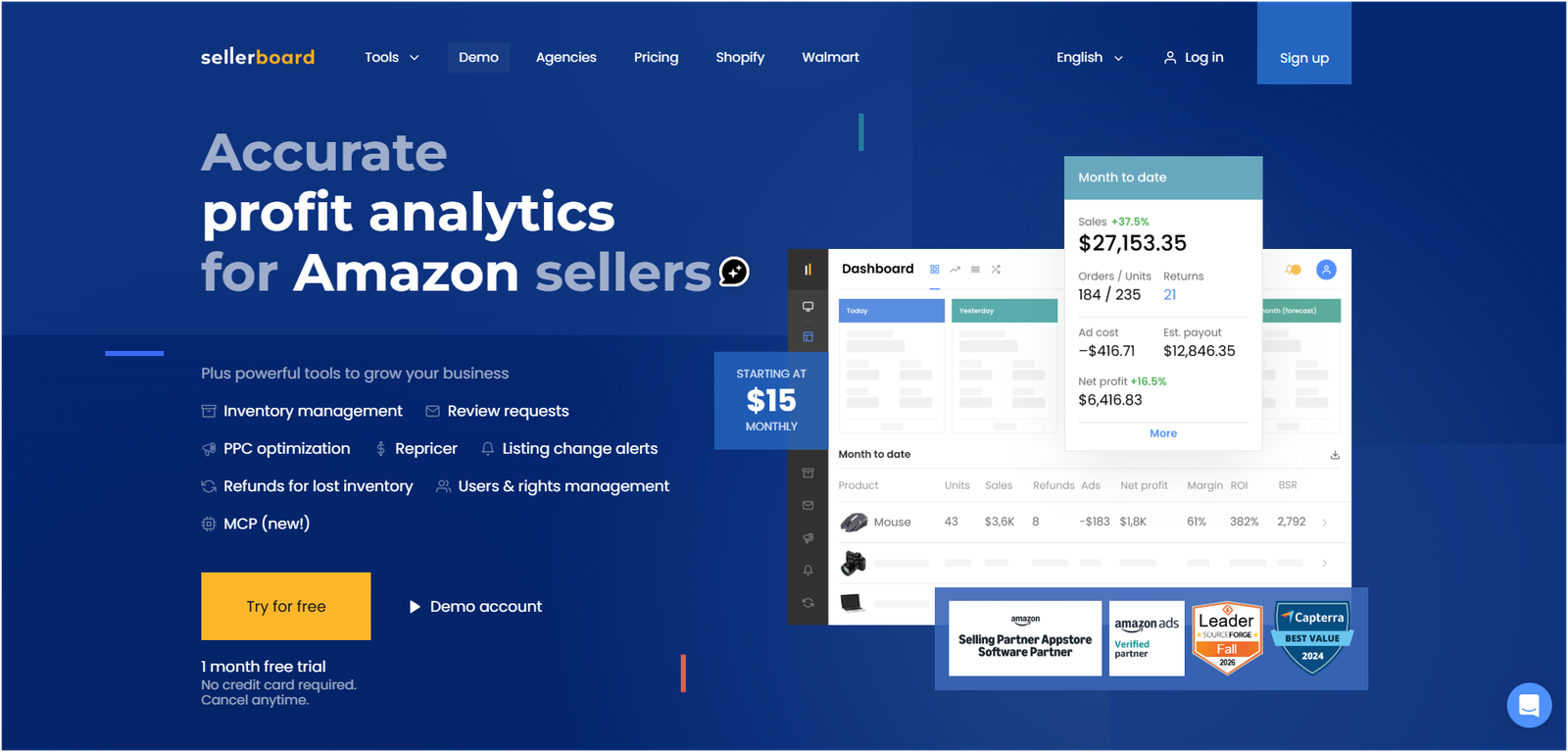
- Core Features: Profit dashboard, PPC cost tracking, inventory restock forecasts, reimbursement alerts, refund tracking, listing change alerts, review request automation, mobile app
- Price: Standard plan is $19/month, or $15/month billed annually. Pricing rises with monthly order volume. One-month free trial.
- Pairs well with: Jungle Scout or SmartScout as your research tool
Seller Central shows sales. Sellerboard shows what you kept. It subtracts FBA fees, storage, refunds, PPC spend and your cost of goods from every order, so you see net profit per product and per day.
That matters most for advertised products. A campaign with a healthy ACoS can still lose money once fees and returns come out. Our breakdown of ACoS vs TACoS explains which number to watch.
Sellerboard also forecasts restock dates and flags possible FBA reimbursements. It has no product research, and setup takes time because you need accurate cost of goods for every SKU.
Who Should Skip It
Skip Sellerboard if you use Helium 10 Platinum and are happy with its Profits module, or if you run several marketplaces and need deeper reporting (SellerLegend is the usual step up). Very small sellers with two or three SKUs can also get by with a spreadsheet for a while.
Best for: Any FBA seller who doesn’t know their true net margin per product.
5. Keepa: Best Free Tool for Price and Sales-Rank History

- Core Features: Price history charts, Sales Rank history, offer count tracking, out-of-stock history, price-drop alerts, browser extension
- Price: Free tier available. The paid plan is billed monthly in euros.
- Pairs well with: Every other tool on this list, especially SellerAmp and SmartScout
Keepa is the tool almost every FBA seller keeps open, and its core features are free. It charts the price history, Best Sellers Rank and offer count of any Amazon product, which tells you whether demand is steady or a one-month spike.
Reading a Keepa chart takes practice. Frequent drops in Sales Rank usually mean regular sales. A price line that crashes whenever a new seller joins tells you the listing is a race to the bottom. Watch whether Amazon itself sells on the listing, because that makes the Buy Box much harder to win.
The free tier covers price history and alerts, and some advanced data needs the paid plan. For more ways to study the competition, see our list of the best Amazon competitor analysis tools.
Who Should Skip the Paid Plan
Nobody should skip Keepa entirely, since the free tier costs nothing. But private-label sellers who already pay for Helium 10 or Jungle Scout often don’t need Keepa’s paid data, because their research tool shows sales history for the products they track.
Best for: Every seller, and especially arbitrage and wholesale sellers checking demand before they buy stock.
6. SellerApp: Best for Amazon PPC Optimization

- Core Features: PPC analytics, rule-based bid automation, search term harvesting, keyword tracking, listing-quality score, product intelligence, sales analytics
- Price: Free plan available. Paid tiers are listed on the pricing page, as published figures vary.
- Pairs well with: Sellerboard, so you can see whether better ACoS actually means more profit
SellerApp is built around advertising data. It tracks campaign performance, flags wasted spend on search terms that don’t convert, and can automate bid changes based on rules you set. A listing-quality score sits alongside, so you can see when a weak listing is dragging down an ad.
The interface is busier than most tools here, and the automation takes time to set up properly. SellerApp also sells a managed advertising service. This ranking covers the software only.
If PPC is your main focus, compare it against the other options in our list of the best Amazon PPC tools before you commit.
Who Should Skip It
Skip SellerApp if your ad spend is small or you only run a handful of campaigns. Seller Central’s own campaign manager and a weekly search term review will cover you. Helium 10 users should also try Adtomic first, since it’s already part of their subscription.
Best for: Sellers spending real money on Sponsored Products who want ad data and automation outside Seller Central.
7. AMZScout: Best Budget Product Research Tool

- Core Features: Product database, niche finder, Chrome extension with sales estimates, FBA fee and profit calculator, keyword tools, product tracker
- Price: The AI bundle costs $59.99/month on monthly billing, with a lower rate on annual billing.
- Pairs well with: Keepa, to double-check estimates before a large order
AMZScout covers the same ground as Jungle Scout at a lower entry point. You get a product database, a niche finder and a Chrome extension that shows estimated sales, fees and a quick product score while you browse Amazon.
The catch is depth. Seller reviews and comparison articles tend to rate its data thinner and its estimates less consistent than the market leaders’. For a first look at an idea, that’s fine. For a five-figure inventory order, double-check with Keepa.
Who Should Skip It
Skip AMZScout if you’re about to place a large first order and want the most reliable estimates you can get. Spending the extra on Jungle Scout or Helium 10 for one or two months is cheap insurance against a bad product choice.
Best for: Beginners and arbitrage sellers who want product research on a tight budget.
8. Data Dive: Best for Keyword Research and Listing SEO

- Core Features: Niche evaluation, competitor keyword extraction, keyword clustering, Rank Radar tracking, AI listing copy, PPC campaign preparation
- Price: Starter plan is $39/month, with lower rates on annual billing.
- Pairs well with: Helium 10 for discovery, with Data Dive building the listing
Data Dive is the specialist experienced private-label sellers add when they want tighter listings than a general suite gives them. It pulls the keywords from a group of competitor ASINs, clusters them by relevance, and shows which terms the top sellers actually rank for.
That clustering feeds straight into your title, bullets and backend search terms, and into tightly grouped PPC campaigns. Rank Radar then tracks where you sit for each keyword over time.
Data Dive is not a product discovery tool. It assumes you already know your niche, so new sellers get more from Jungle Scout first.
Who Should Skip It
Skip Data Dive if you’re still looking for your first product or you sell other brands’ items through arbitrage or wholesale. You can’t change those listings, so detailed keyword clustering gives you nothing to act on.
Best for: Established private-label sellers who want their listings and PPC built from competitor keyword data.
9. SellerAmp SAS: Best for Online and Retail Arbitrage
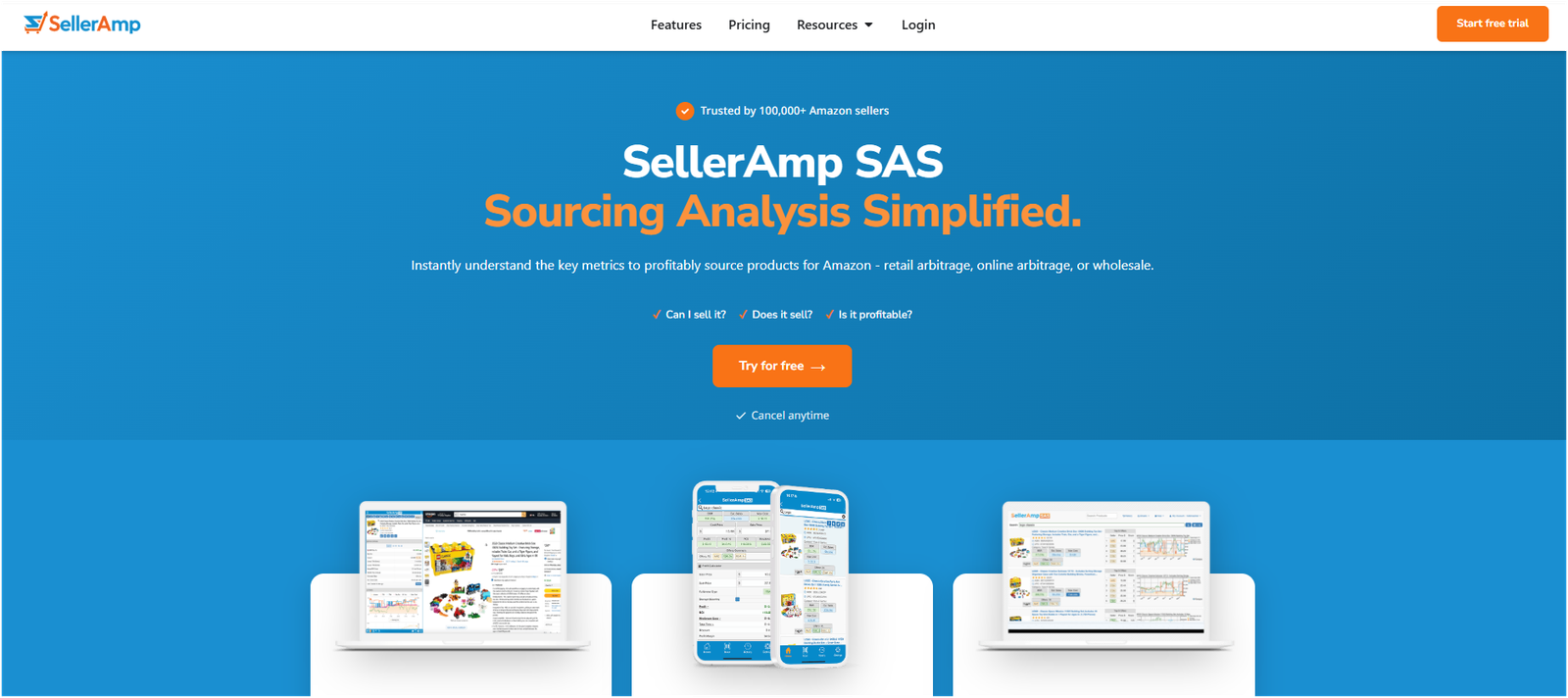
- Core Features: Profit and ROI calculator, FBA fee breakdown, selling eligibility check, hazmat alerts, Buy Box analysis, Keepa charts, mobile app and browser extension
- Price: Plans cost $19.95/month (Getting Started), $29.95/month (Getting Serious) and $49.95/month (Going Pro). A free trial is available.
- Pairs well with: InventoryLab for shipments and unit costs
SellerAmp is the decision tool for arbitrage. Scan a barcode in a store or open a product online, and it shows estimated profit, ROI, Amazon fees, whether you’re allowed to sell the item, and hazmat warnings, all on one screen.
It pulls in Keepa price and rank data, so you can judge demand without switching apps. That speed matters on a clearance aisle, where you’re checking item after item.
SellerAmp stops at the buying decision. It doesn’t build shipments or track inventory, which is where tool #10 comes in.
Who Should Skip It
Skip SellerAmp if you sell your own private-label products. You already know your costs and you’re the only seller on the listing, so its sourcing checks don’t apply.
Best for: Online and retail arbitrage sellers who need fast buy or skip decisions.
10. InventoryLab: Best for FBA Shipments and Inventory Accounting
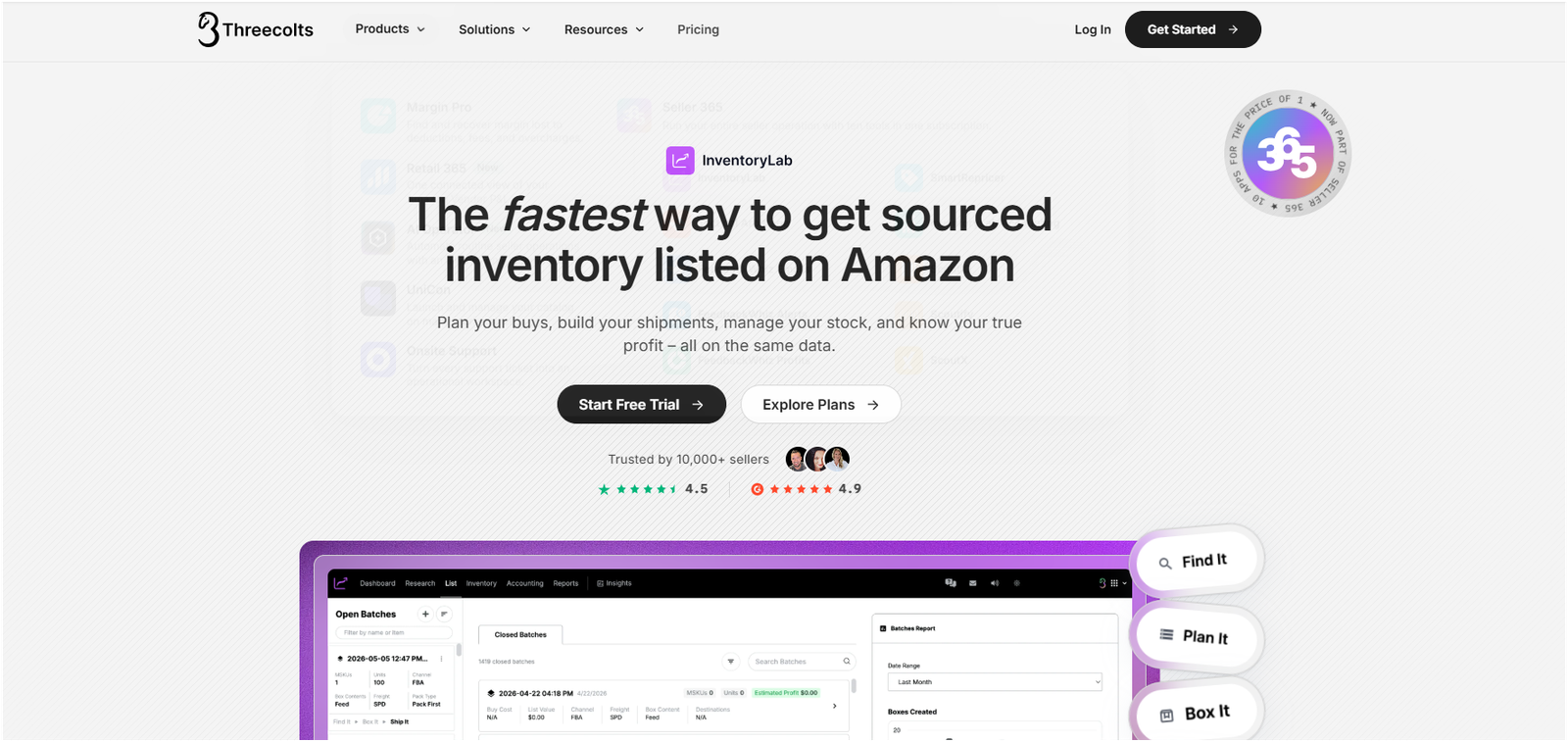
- Core Features: Inbound shipment creation, label printing, unit cost tracking, inventory valuation, profit and accounting reports
- Price: From $69/month. Also available inside Seller 365 bundles.
- Pairs well with: SellerAmp for sourcing decisions
InventoryLab handles what happens after you buy stock. It creates FBA inbound shipments, prints item and box labels, records your cost for every unit, and turns that into profit and inventory reports your accountant can use.
For high-volume arbitrage and wholesale sellers, that cost tracking is the main value. When you buy the same item at five different prices, InventoryLab keeps the margin on each unit accurate.
It is built for resellers, not private-label brands, and it now sits inside the Threecolts Seller 365 bundle alongside other reseller tools.
Who Should Skip It
Skip InventoryLab if you send a few shipments a month of the same private-label SKUs. Seller Central’s shipment workflow plus Sellerboard’s cost tracking covers that volume without another subscription.
Best for: High-volume arbitrage and wholesale sellers who prep and ship lots of FBA inventory.
Also Worth Knowing: Specialist Amazon Tools for Sellers
These six tools didn’t make our list of the 10 best Amazon FBA seller tools because each one solves a narrow problem. Add them once your core stack is running and you can point to the exact problem they fix.
Repricing: BQool or Seller Snap
Repricers change your price automatically to win the Buy Box on listings you share with other sellers. BQool is the common starting point. Seller Snap uses game-theory pricing that aims to win the Buy Box without dragging prices down for everyone. Add one when you resell on shared listings and are losing the Buy Box to faster sellers. Private-label sellers rarely need either.
FBA Reimbursements: Seller Investigators or Getida
These services audit your inventory and warehouse records and file claims for units Amazon lost, damaged or never refunded. They’re worth a look once you ship large volumes into FBA, where small losses add up. Check how each one charges before you sign up, and compare that with what Sellerboard’s reimbursement alerts already catch.
Bookkeeping: Link My Books
Link My Books syncs Amazon settlement payouts into Xero or QuickBooks, split into sales, fees and refunds. It’s the fix for sellers whose accountant spends hours untangling one lump-sum Amazon deposit every two weeks. Add it when bookkeeping time starts costing more than the subscription.
Inventory Forecasting: SoStocked or RestockPro
Both calculate reorder points from sales velocity and lead times, and track stock across FBA, 3PLs and your own warehouse. They matter most once stockouts start costing you rank. If you only run a few SKUs, Sellerboard’s restock forecast is usually enough.
Advanced PPC Automation: Perpetua or Scale Insights
Perpetua runs goal-based bidding and Amazon DSP for brands with large ad budgets. Scale Insights is rules-based and gives you more manual control over each automation. Learn the fundamentals first with our free Amazon PPC guide, because automation only scales the strategy you give it.
Multi-Account Analytics: SellerLegend
SellerLegend adds deeper reporting, inventory planning and EU VAT support for sellers running several marketplaces or accounts. Think of it as the step up from Sellerboard once one dashboard per account stops being enough.
Quick Comparison: The 10 Best Amazon FBA Seller Tools at a Glance
Use this table of the 10 best Amazon FBA seller tools to shortlist two or three, then read their full entries above.
| # | Tool | Best For | Business Model | Monthly Billing | Annual Billing (Per Month) | Free Option | Learning Curve |
| 1 | Helium 10 | All-in-one suite | Private Label | $129 (Platinum) | $99 | Free Plan | Steep |
| 2 | Jungle Scout | First product research | Private Label | $49 (Starter) | $29 | 7-day money-back | Easy |
| 3 | SmartScout | Wholesale & brand research | Wholesale | $29 (Basic) | $25 | 7-day money-back | Moderate |
| 4 | Sellerboard | Profit tracking | All Models | $19 (Standard) | $15 | 1-month free trial | Moderate (Setup) |
| 5 | Keepa | Price & sales-rank history | All Models | €29 (~$32) | €24.17 (~$26) | Limited Free Tier | Moderate (Charts) |
| 6 | SellerApp | PPC optimization | Private Label | $99 (Pro) | $59 | Free Plan | Moderate |
| 7 | AMZScout | Budget product research | Private Label, Arbitrage | $59.99 (AI Bundle) | $33.33 | Free Trial | Easy |
| 8 | Data Dive | Keyword research & listing SEO | Private Label | $39 (Starter) | $32 | Demo / See Site | Moderate |
| 9 | SellerAmp SAS | Arbitrage sourcing | Online & Retail Arbitrage | $19.95 (Getting Started) | $16.63 | 14-day free trial | Easy |
| 10 | InventoryLab | Shipments & inventory accounting | Arbitrage, Wholesale | $69 (Seller 365) | $58 | 14-day free trial | Moderate |
Prices are starting prices before tax, checked against vendor pricing pages and published comparisons in November 2026. Vendors change plans often, so confirm the current figure before you buy. Selling outside the US? Check each tool’s supported marketplaces first.
Best Amazon FBA Tools by Business Model and Use Case
Most sellers need three tools, not ten. Here’s the stack we’d start with for each business model, with the monthly cost on monthly billing.
| Use case | Recommended stack | Why | Monthly total |
| Launching a first private-label product | Jungle Scout (49)+Sellerboard(19) + Keepa free tier | Easiest research tool, real profit from day one, basic price check | $68 |
| Scaling a private-label brand | Helium 10 Platinum (129)+DataDive(39) + Keepa free tier | Deeper keyword and listing SEO work, with Helium 10 Profits replacing Sellerboard | $168 |
| Online or retail arbitrage | SellerAmp SAS (19.95)+InventoryLab(69) + Keepa Pro (~$32 / €29) | Fast buy decisions, accurate unit costs, full sales-rank & price-war history | ~$120.95 (or $88.95 w/ free Keepa) |
| Wholesale | SmartScout Basic (29)+Sellerboard(19) + Keepa Pro (~$32 / €29) | Brand discovery, margin per supplier, full demand & price stability charts |
This isn’t a fixed rule. Your catalog size and ad spend matter more than any general recommendation.
Launching a First Private-Label Product
Jungle Scout finds and validates the product, Sellerboard tells you whether it actually makes money once fees and ads come out, and Keepa confirms demand is steady rather than seasonal.
Scaling a Private-Label Brand
Helium 10 replaces Jungle Scout once keyword depth and PPC start to matter more than product discovery. Data Dive sharpens listings and campaigns across the catalog. Helium 10’s Profits module covers profit tracking, so you can drop Sellerboard here.
Online or Retail Arbitrage
SellerAmp makes the buy decision, InventoryLab handles shipments and unit costs, and Keepa’s history keeps you from buying into a price war. Arbitrage margins are thin, so the money you save on one bad buy matters more than any feature list.
Wholesale
SmartScout finds the brands worth pitching. Sellerboard tracks margin per account, which matters when one supplier’s price increase can wipe out a product line. Keepa shows whether a listing’s price holds up when new sellers join.
How to Roll Out Your Amazon FBA Tool Stack in 30 Days
Buying three tools on the same day is how sellers end up paying for software they never set up. Add them one at a time, so each one has a clear job and a clear test.
Week 1: Set Up Your Free Baseline
Install Keepa’s free extension and open Amazon’s FBA Revenue Calculator and Product Opportunity Explorer in Seller Central. Write down your current numbers: margin per product, monthly ad spend, and hours a week spent on research or sourcing. You need this baseline to judge whether a paid tool actually helps.
Week 2: Add Your Research or Sourcing Tool
Start the trial of the one tool that matches your model. That’s Jungle Scout or Helium 10 for private label, SmartScout for wholesale, or SellerAmp for arbitrage. Use it on real decisions from your own catalog or sourcing list, not demo searches.
Week 3: Add Profit Tracking
Connect Sellerboard (or switch on Helium 10’s Profits module) and enter your landed cost for every SKU. This is the slowest step, and the one most sellers rush. Wrong cost of goods means wrong profit numbers, which is worse than no numbers.
Week 4: Review and Cut
Compare your week 1 baseline with where you are now. Did the research tool change a product or sourcing decision? Did the profit tool show a SKU losing money? Keep the tools that changed a decision. Cancel the ones that didn’t, before the trial turns into a charge.
Only after this first month should you think about PPC automation, repricing or reimbursement services. By then you’ll know which problem is costing you the most.
What Amazon FBA Seller Tools Typically Cost
A working three-tool stack costs between $68 and $168 a month on monthly billing, depending on your business model and which of the 10 best Amazon FBA seller tools you combine. That is on top of Amazon’s own fees, so budget for both.
The Four Price Tiers
- Free ($0): Keepa’s free tier, Helium 10’s free plan, SellerApp’s free plan and Amazon’s built-in tools.
- Entry (under $50 per tool): Sellerboard (19),SellerAmp(19.95), Data Dive (39),JungleScout(49), SmartScout ($49).
- Mid ($50 to $150 per tool): AMZScout AI bundle (59.99),InventoryLab(69), Helium 10 Platinum ($129).
- Premium ($150 and up, or custom quotes): Helium 10 Diamond ($359) and enterprise analytics such as DataHawk, which uses custom pricing.
Most sellers never need the premium tier. Tools priced there are built for brands with large catalogs, several marketplaces or a team managing the account.
What You Actually Pay Each Month
Amazon’s Professional selling plan costs $39.99 a month, before referral and FBA fees. Add that to your tool stack to see the real fixed cost of running the business.
For a new private-label seller on the starter stack, that’s $68 for tools plus $39.99 for the selling plan, or about $108 a month before a single sale.
Monthly vs Annual Billing
Annual billing saves real money on the tools that offer it. Jungle Scout drops from $49 to $29 a month (about 40 percent). Helium 10 Platinum drops from $129 to $99 (about 23 percent). Sellerboard drops from $19 to $15 (about 21 percent).
The saving only counts if you keep the tool for the full year. Stay on monthly billing for your first two or three months, then switch the tools you use every week.
Hidden Costs Sellers Miss
A few costs show up after you subscribe, not on the pricing page. Ask about them upfront.
- Plan creep: Profit tools like Sellerboard price by monthly order volume, so your bill rises as you grow. Check the next tier up before you sign.
- Add-ons: Extra users, extra marketplaces or AI features can sit outside the base plan.
- Currency: Keepa bills in euros, so the dollar cost moves with the exchange rate.
- Setup time: Entering cost of goods, connecting accounts and learning a suite like Helium 10 all take hours, especially in your first month.
- Overlap: Paying twice for the same job is the most expensive hidden cost. Review your stack every quarter and cut duplicates.
A tool that looks cheap at $19 a month can end up costing more than a $49 tool once add-ons and higher tiers kick in. Compare the plan you’ll need six months from now, not the entry plan.
A Simple Rule for Whether a Tool Is Worth It
A tool earns its place when it saves more than it costs. If a $49 research tool helps you avoid one bad inventory order, it has paid for itself many times over. If you haven’t opened it in two weeks, cancel it and put the money back into stock or ads.
Seller Tools vs Free Amazon Tools vs Spreadsheets vs Hiring Help vs AI
Paid tools aren’t the only option, and for some sellers they aren’t the best one. Here’s how the five options compare.
| Option | Cost | Handles well | Falls short | Best for |
| Amazon’s free tools | $0 (with a selling plan) | Fee estimates, niche demand data, A/B tests on brand-registered listings | No competitor sales estimates, no full profit view | Every seller, as a baseline |
| Spreadsheets | $0 | Cost of goods and simple profit math for a few SKUs | Breaks as SKUs and fees grow, no live data | Very small catalogs |
| Paid seller tools | $0 to $359+ per tool per month | Research, keyword data, profit tracking, automation | Overlap, learning curves, monthly cost | Sellers who run the business themselves |
| Hiring help (agency or VA) | Monthly retainer or hourly rate | Someone else does the work, using their own tools | Costs more than any single tool, less direct control | Sellers short on time, not on information |
| AI assistants | Free to low monthly cost | Analyzing exports, drafting listing copy, explaining reports | No live Amazon sales or rank data unless connected to a tool | Speeding up analysis you already have data for |
Free Amazon Seller Tools: What Amazon Already Gives You
Start here before paying for anything. Several Amazon seller tools are free inside Seller Central, and they’re more useful than most sellers assume.
The FBA Revenue Calculator estimates fees and margin for any ASIN. Product Opportunity Explorer shows search volume and demand trends by niche, straight from Amazon’s own data. Brand-registered sellers also get Brand Analytics for search terms and Manage Your Experiments to A/B test your listing content.
What they can’t do is show competitors’ estimated sales, reverse-engineer a rival’s keywords, or give you net profit after every cost. That’s the gap paid tools fill.
When a Spreadsheet Makes Sense
If you sell a handful of products, a spreadsheet with your landed cost, Amazon fees from the Revenue Calculator and monthly ad spend gets you a working profit number. It stops working once you have dozens of SKUs, with refunds and storage fees changing every month. That’s usually the point to move to Sellerboard.
When Hiring Help Makes Sense
Some sellers don’t need better Amazon tools for sellers. They need someone to act on the data. An agency or a virtual assistant runs the tools for you and turns the numbers into changes on your listings and campaigns.
This costs more than any tool on this list, so it makes sense once your time is worth more spent on product and supply. If you’re weighing that route, our list of the best Amazon account management agencies compares the options.
What AI Assistants Still Get Wrong
ChatGPT, Claude and similar assistants are good at reading a report you export, spotting patterns, and drafting bullets or a title. They don’t have live access to Amazon sales, Best Sellers Rank or keyword volumes unless a seller tool feeds that data in, and they can state outdated prices or features with total confidence.
Use them alongside your tools, not instead of them. And remember that no tool fixes a listing that doesn’t convert. If traffic is fine but sales aren’t, start with why your Amazon conversion rate is dropping.
Before You Connect a Tool: Safety, Accuracy and Overlap Checklist
Every tool on this list asks for access to your seller account or your browser, yet the top-ranking comparisons for this search barely mention account safety. Run through this checklist before you click “authorize.”
Account Safety
Use Amazon’s Official Authorization
Legitimate tools connect through Amazon’s Selling Partner API. You approve the connection inside Seller Central, and the tool never sees your login. If a tool asks for your Seller Central password or a one-time code, walk away.
Check the Selling Partner Appstore
Amazon lists apps in the Selling Partner Appstore inside Seller Central. A listing there means the developer has registered with Amazon. It isn’t a quality guarantee, but it’s a sensible first filter.
Review and Revoke Access Regularly
Open the apps section of Seller Central every few months and remove anything you no longer use. Old connections to cancelled tools are an easy risk to close.
Be Careful With Browser Extensions
Install extensions only from the official Chrome Web Store page linked from the vendor’s own site. Check the permissions each one asks for, and remove extensions you’ve stopped using.
Data Accuracy
Sales Estimates Are Models, Not Sales Data
| Key Info: No third-party tool can see another seller’s actual sales. Every “estimated monthly sales” figure is calculated from Best Sellers Rank and the tool’s own model, so two tools will often give different numbers for the same product. |
Use estimates to compare products against each other, not as a forecast for your own launch.
Cross-Check Before You Buy Stock
Before a large order, look at the product’s Keepa history over several months, not just the last few weeks. A steady rank tells you more than one month’s estimate. If two tools disagree sharply, trust the history over the estimate.
Tool Overlap
Common Overlaps to Avoid
- Helium 10 plus Sellerboard: Helium 10’s Profits module already tracks profit. Keep one.
- Jungle Scout plus AMZScout: Both are product research tools. Pick the one that fits your budget.
- Keepa paid plan plus SellerAmp: SellerAmp already shows Keepa charts during sourcing, so check whether you still need Keepa’s paid data.
- Helium 10 plus SellerApp: Adtomic covers PPC inside Helium 10. Add SellerApp only if Adtomic falls short.
Export Your Data Before You Switch
Most tools keep the history they collected, such as rank tracking and saved searches, only while you subscribe. Export reports and keyword lists before you cancel. Profit tools can often rebuild order history from Amazon’s API, but check with the vendor first.
Common Mistakes Sellers Make With Amazon FBA Tools
The tool is rarely the problem. How it gets bought and used usually is.
Buying a Suite, Then Buying Its Features Again
A seller signs up for Helium 10, then adds a separate profit tracker and a PPC tool, paying three times for jobs the suite already covers. The overlap list above shows the usual pairs.
Trusting One Sales Estimate
Say a tool shows 1,200 estimated sales a month for a product. That’s a model, not a fact. Sellers who order inventory off a single estimate are the ones left with stock that won’t sell through. Check the Keepa history and, for a large order, a second tool’s estimate.
Skipping the Cost of Goods Setup
Profit tools are only as accurate as the costs you give them. Leave out freight, prep or packaging, and your margin looks healthier than it is. Enter the full landed cost per unit, and update it when a supplier changes price.
Expecting the Tool to Fix the Listing
Research and keyword tools tell you what to change. They don’t change it. If your images, title and bullets don’t convert, more data won’t help until the listing itself is fixed.
All of the Amazon FBA seller tools in this guide work well when they’re matched to one job and actually set up. None of them works on autopilot.
A Note on How We Picked These Tools
We’re an Amazon services team, not a software company. None of the tools on this list paid to be included, none of them is ours, and there are no affiliate links anywhere in this guide to the 10 best Amazon FBA seller tools.
That matters on this search. Several of the top-ranking “best Amazon seller tools” articles are published by software companies that rank their own product first. We have no product in this race.
Final Verdict: Which Amazon FBA Tool Should You Start With?
You don’t need every one of the 10 best Amazon FBA seller tools on this list. You need the two or three that match your business model.
- New private-label seller: Jungle Scout plus Keepa’s free tier, then add Sellerboard once your first product is live.
- Growing private-label brand: Helium 10 for research, keywords and profit, with Data Dive once listings and PPC need tightening.
- Arbitrage or wholesale seller: SellerAmp or SmartScout for sourcing, Keepa for demand checks, and Sellerboard or InventoryLab for margins.
Get Your Tool Stack Working From Day One
Picked your stack from the 10 best Amazon FBA seller tools above? The next step is using it well. Our free FBA new-seller guide walks through product research, listing setup and your first PPC campaign, step by step.